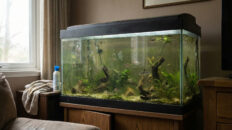

If your aquarium keeps getting algae no matter how much you clean it, scrub the glass, or add “algae eaters,” the real problem usually is not dirt, nutrients, or bad equipment. The real problem is instability.
This guide explains why algae appears again and again in tanks that look “clean,” how light, nutrients, flow, and biofilm interact behind the scenes, and how to fix the root cause instead of chasing algae forever. If you have searched for “why does my tank keep getting algae,” “how to stop algae permanently,” or “beginner algae mistakes,” this is the full breakdown designed for you.
Most algae problems do not start in “dirty” tanks. They start in tanks that are too clean, too frequently reset, or constantly changing. Every time light schedules jump, nutrients spike, filters are opened and washed out, or the biofilm is stripped off every surface, algae gets a head start that plants and beneficial microbes cannot match. Algae reacts in hours. Plants and microbiomes need days to respond and stabilize.
This article expands on the video and gives you a step-by-step roadmap to stop the instability that feeds algae in 2026.
Stop doing what? FishTank Mastery debunks common algae-fighting myths, revealing the surprising science behind ecosystem imbalances. Learn the five real reasons your tank might be overrun, backed by research and expert advice.
Why Your Aquarium Keeps Getting Algae (The Real Science)
1. Light Instability – When Your Photoperiod Keeps Changing
Algae growth is tightly linked to light intensity and duration. Laboratory and field studies show that changes in light conditions directly change algal growth rates, with many species responding very quickly to increased or extended light exposure.
In aquariums, common light instability mistakes include:
- Constantly changing the timer because algae appears
- Turning lights on and off manually at different times every day
- Doubling light intensity to “help plants catch up”
- Leaving lights on late because you want to view the tank longer
Plants adapt slowly to new light levels. Algae does not need time to adjust. So every sudden jump in intensity or photoperiod gives opportunistic algae a free boost while your plants are still trying to recalibrate their photosynthetic machinery.
2. Nutrient Surges – Short Spikes, Big Algae Reactions
Nutrient pollution is a well-known driver of algae blooms in natural waters, especially when nitrogen and phosphorus levels suddenly increase.
In home aquariums, you create mini “bloom triggers” every time you cause a sharp nutrient swing.
Typical beginner nutrient surge mistakes include:
- Heavy feeding right after a big water change
- Overdosing fertilizer to “boost growth overnight”
- Letting waste accumulate, then doing a massive clean all at once
- Inconsistent water change schedules that cause nutrient whiplash
Algae is extremely efficient at using sudden nutrient availability. Periphyton and planktonic algae in streams and lakes respond rapidly to nutrient pulses, often increasing biomass within days.
Your plants simply cannot reorganize their tissues and root systems fast enough to match that pace if everything keeps changing.
3. Flow Dead Zones – Where Algae Collects and Plants Struggle
Hydrodynamics, or how water moves through the tank, is a critical but often ignored factor. Research on lakes and rivers shows that flow rate and flow state change where algae accumulates, how fast it grows, and how evenly it is distributed. Slow or stagnant zones tend to favor local algae build-up, while moderate, steady flow can reduce accumulation and improve water quality.
In an aquarium, “dead zones” form:
- Behind large rocks or wood
- Under sponge filters or internal filters
- In corners opposite the outlet
- Inside dense plant clusters with no circulation
These small stagnant pockets become perfect algae hotspots: nutrients settle there, fine particles accumulate, CO₂ exchange is slower, and grazers struggle to reach those surfaces. You clean the glass, but the same hidden patches keep seeding algae back into the tank.
4. Over-Cleaning – When You Destroy the Beneficial Biofilm
One of the biggest myths in the hobby is that “the cleaner the tank looks, the healthier it is.” In reality, a stable aquarium depends on a structured biofilm layer: a thin coating of bacteria, fungi, microalgae, and other microorganisms on glass, rocks, wood, and filter media. This living film:
- Processes waste and stabilizes nutrients
- Feeds grazers like Otocinclus, shrimp, and snails
- Creates a biological buffer against sudden changes
Studies on freshwater and coastal systems show that biofilms can not only support grazers but also help prevent harmful blooms by tying up nutrients and competing with planktonic algae.
If you constantly scrape everything spotless, rinse filter media under tap water, and replace all sponges at once, you are effectively resetting this protective layer. The result is a tank that looks clean for a moment, then explodes with algae as soon as conditions shift again.
5. Microbial Disruption – Filter Shock and “Tank Resets”
Your filter is not just a mechanical device; it is a habitat for nitrifying bacteria and many other microbial partners. Large, sudden changes like:
- Washing all media in chlorinated tap water
- Replacing entire filter cartridges at once
- Turning filters off for long periods during cleaning
can drastically reduce the stability of the microbial community. In natural systems, disturbances to microbial and periphyton communities are strongly linked to subsequent algae fluctuations and shifts in community structure.
In a home aquarium, that looks like “everything was fine, then a few days after a big clean, algae exploded.”
6. Stability Over Perfection – Why “Chill Tanks” Have Less Algae
If you look at the most stable, low-algae display tanks, a pattern emerges. They are not cleaned aggressively every week, parameters do not swing wildly, and light schedules barely change. Instead of chasing perfectly sterile glass, these tanks prioritize:
- Consistent photoperiod and intensity
- Predictable feeding and water changes
- Gentle detritus removal instead of full resets
- Biofilm and plant health over shiny surfaces
Over time, this creates a resilient microbiome where algae can appear in small amounts but rarely take over the system.
STOP Doing This (Critical Beginner Traps)
- Stop changing your light schedule every time algae appears.
- Stop doing massive “deep cleans” that strip biofilm and shock the filter.
- Stop rinsing all your filter media under tap water on the same day.
- Stop overfeeding to “make fish happy” and then expecting algae eaters to fix the mess.
- Stop chasing perfect numbers while your tank is swinging from one extreme to another.
- Stop believing that more products, more chemicals, or more gadgets will fix instability.
Beginners do not usually get algae because they are doing too little. They get algae because they are doing too much, too fast, and too inconsistently.
How to Actually Fix Algae Instability (Step by Step)
Step 1 – Lock In a Stable Light Schedule
Set a realistic photoperiod and stick to it every single day. For most tanks, 6 to 8 hours is enough. If algae is already out of control, start closer to 6 hours and slowly increase only after things stabilize.
- Use a timer so your light is never “forgotten on”.
- Avoid manual on/off changes based on your mood or viewing time.
- If you need more viewing time, dim the light rather than extending hours.
Step 2 – Smooth Out Nutrients Instead of Spiking Them
Focus on consistency, not perfection. That means:
- Feed small, predictable portions that fish can finish in under a minute.
- Avoid “panic dosing” fertilizer when plants look weak after a big change.
- Use regular, moderate water changes instead of rare, huge ones.
If you dose fertilizers, keep the schedule simple, repeatable, and moderate while you work on stability.
Step 3 – Fix Flow Dead Zones
Without turning your tank into a washing machine, adjust your flow to eliminate stagnant pockets where algae builds up.
- Aim the filter outlet so it creates a gentle circular pattern.
- Add a small powerhead or adjust spray bars to move water behind hardscape.
- Watch where debris always settles and redirect flow there.
Your goal is not high flow everywhere. Your goal is “no dead spots where nothing moves”.
Step 4 – Protect the Biofilm and Filter Bacteria
From now on:
- Rinse only part of your filter media at a time, in tank water, not tap water.
- Never replace all sponges or cartridges on the same day.
- Avoid scrubbing every surface spotless in one session.
Think of biofilm as armor. You can polish the front glass and gently clean visible gunk, but do not nuke the entire microbiome in a single cleaning spree.
Step 5 – Adjust Maintenance to Stability, Not Emotion
Instead of reacting emotionally to every patch of algae:
- Set a consistent weekly or biweekly maintenance routine.
- Vacuum lightly in different sections each time instead of doing the entire substrate at once.
- Clean filters on a rotation, not all at once.
Small, predictable actions help plants and bacteria adapt. Big, sporadic actions keep them in permanent recovery mode.
Step 6 – Use Algae Eaters as Support, Not as the Main Fix
Once your tank is reasonably stable, a clean-up crew can tilt the balance in your favor. Otocinclus, Amano shrimp, Nerite snails, and a carefully chosen mix of algae eaters work best when the underlying conditions are already steady.
If you have not seen our companion guide yet, read the full breakdown of which species actually help: Best Algae Eaters That Really Help (2026 Guide).
Step 7 – Give the System Time to Settle
Once you stop the constant changes, expect algae to slowly decline over 2 to 6 weeks, not overnight. You are retraining the entire ecosystem: plants, bacteria, and grazers. As stability increases, algae has fewer “windows” where it can surge ahead.
People Also Ask (Aquarium Algae Problems)
Why does my tank keep getting algae even after I clean it?
Because cleaning often resets biofilm and microbes without fixing the underlying instability. Sudden light, nutrient, and flow changes give algae temporary advantages that plants and bacteria cannot match.
Is algae caused by dirty water or bad maintenance?
Excess waste and poor maintenance can contribute, but many algae outbreaks happen in tanks that look very clean. The real driver is usually instability, not dirt alone.
Will turning my lights off for a few days fix algae permanently?
Blackouts can reduce algae temporarily, but if you return to unstable light and nutrient habits, algae will come back. Long-term control requires stable conditions, not one-time “resets”.
Do water changes cause algae?
Regular, moderate water changes help prevent algae. Huge, inconsistent changes paired with heavy feeding afterward can trigger nutrient surges that algae quickly respond to.
Do I just need more algae eaters to fix this?
Algae eaters help, but they cannot overcome unstable lighting, nutrient spikes, and destroyed biofilm. They are part of the solution, not a replacement for stability.
FAQ – Common Questions About Algae and Stability
How long does it take for algae to improve after I stabilize my tank?
Most tanks show noticeable improvement within 2 to 6 weeks once light, nutrients, flow, and biofilm are kept stable. The exact timeline depends on how severe the algae outbreak is and how healthy your plants and clean-up crew are.
Should I scrub all the rocks and decorations to remove algae?
You can spot clean the worst areas, but avoid stripping all surfaces in one session. Leaving some biofilm and mature surfaces helps beneficial microbes and grazers rebound faster and reduces the risk of another big bloom.
Is it bad to change my light brand or fixture if I have algae?
Changing the light is not automatically bad, but doing it abruptly is. If you upgrade, start at lower intensity and shorter duration, then increase slowly to avoid shocking plants and encouraging algae.
Can I stop all fertilizer to get rid of algae?
Completely cutting nutrients may weaken your plants and make them worse competitors. A better approach is to keep low, consistent doses while you stabilize light, flow, and maintenance habits.
How do I know if flow dead zones are causing my algae?
If the same patches of algae always form behind hardscape, in corners, or around equipment where debris collects and plants barely move, you almost certainly have dead zones contributing to the problem.
Do I need CO₂ injection to keep algae away?
No. CO₂ helps plant growth, but stability still matters more. Many low-tech tanks with no CO₂ run with minimal algae because lighting, feeding, and biofilm are kept steady and predictable.
Internal Links – Related Guides From FishTank Mastery
If you want to pair root cause control with the right clean-up crew, our full algae eater ranking in Best Freshwater Aquarium Clean-Up Crew (2026 Guide) shows which fish, shrimp, and snails actually help in real tanks.
For tanks already fighting black beard algae, diatoms, and green spot at the same time, the deep-dive article Natural Ways to Stop Aquarium Algae explains how to combine stability with targeted corrections.
If green hair algae is your main enemy, you will want the focused strategy in Green Hair Algae Fix – Fast, Natural & Beginner-Friendly, which shows how to use flow, light, and grazers together.
Sometimes the algae you see is really a symptom of deeper clarity problems. If your tank never looks truly clear, even when algae is under control, read Why Your Aquarium Water Will Never Be Clear (Stop This) to diagnose hidden filtration and microbiome issues.
If your plants are melting while algae grows, you are seeing both plant instability and algae opportunism at once. Our guide Stop Doing This If Your Aquarium Plants Keep Melting pairs perfectly with this article to stabilize both greenery and algae in the same system.
Scientific References
Many of the patterns described in this guide are well supported by research in freshwater ecology, hydrodynamics, and algal biology. Below are the scientific sources that strengthen the stability-based explanation for aquarium algae problems:
Maltsev & Maltseva (2021) examined how different light intensities and photoperiod lengths influence microalgae growth. Their findings explain why sudden lighting changes can trigger rapid algae responses in aquariums.
Read the study
Coffey et al. (2018) explored nutrient pollution and algal blooms, showing how nitrogen and phosphorus surges cause explosive algae growth. This directly parallels aquarium nutrient spikes after large water changes or heavy feeding.
Read the study
Zhu et al. (2019) analyzed how water flow rate and flow patterns influence algae distribution. Their results match how aquarium dead zones collect debris and allow algae to form localized hotspots.
Read the study
Cardinale (2011) demonstrated that diverse microbial and ecological communities improve water quality through niche partitioning. This supports the importance of maintaining stable biofilm and microbial structure in aquariums.
Read the study
Ugya (2020) highlighted how natural freshwater biofilm can help regulate algae by capturing nutrients and providing ecological stability. This reinforces why over-cleaning aquariums disrupts their natural defense.
Read the study
Watch Next – Recommended Videos
To turn this information into a full stability system for your tank, these videos extend the concepts in this guide: